README
Excalith Start Page
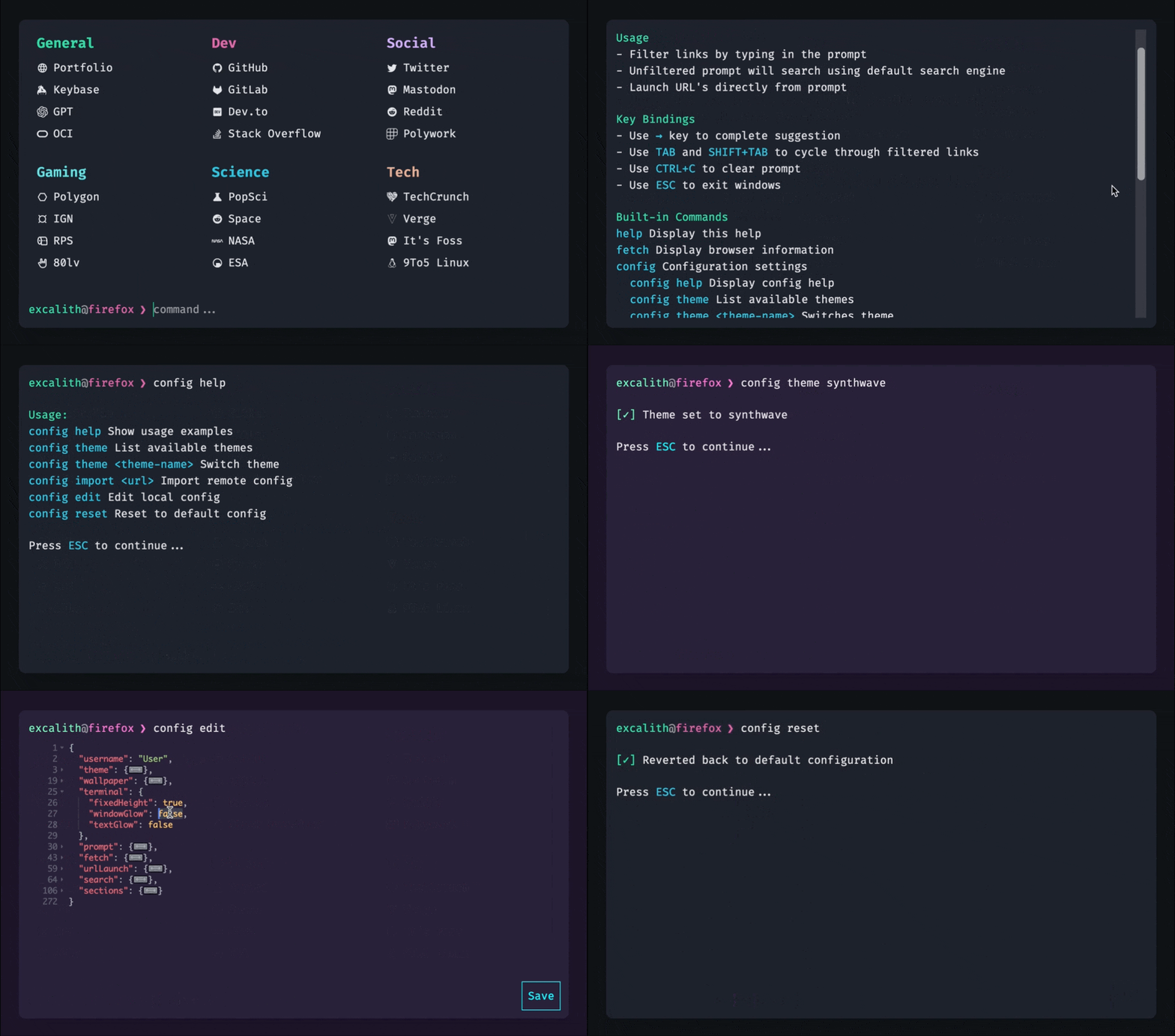
This is an interactive start page for browsers, inspired from my terminal setup.


Demo
You can explore the working version here. To get inspired by community members' configurations, visit the Showcase in discussions!
[!IMPORTANT] This is a demo version and will be updated regularly, which might break your configurations. It is not recommended for daily browsing. Please refer to the wiki page for more information.
Features
- Filter links by typing in the prompt
- Quickly filter links by typing in the prompt. Hitting Enter will open all filtered links at once
- If nothing filtered, the text in prompt will use the default search engine for searching your input
- Launch websites directly from the prompt. Just type the URL (ie.
github.com) - Search websites with custom commands. For example, type
s some weird bugto search StackOverflow forsome weird bug - Wallpaper support through URL with blur and fade effects
- Terminal window opacity and translucency effects
- Customizable Fetch UI for fetching browser and system data, including custom image support