README
vscode-jest



Getting Started
This extension supports full jest features in vscode environment to make testing more intuitive and fun. It should work out-of-the-box for most common jest projects. To get started:
- Setup jest in your project if you haven't.
- install "Jest" extension in vscode.
- reload or restart vscode
If the extension can find the jest command, by default it will automatically run and monitor all tests in watch mode upon launch, and you should see tests, status, errors, coverage (if enabled) in TestExplorer and editors like this:
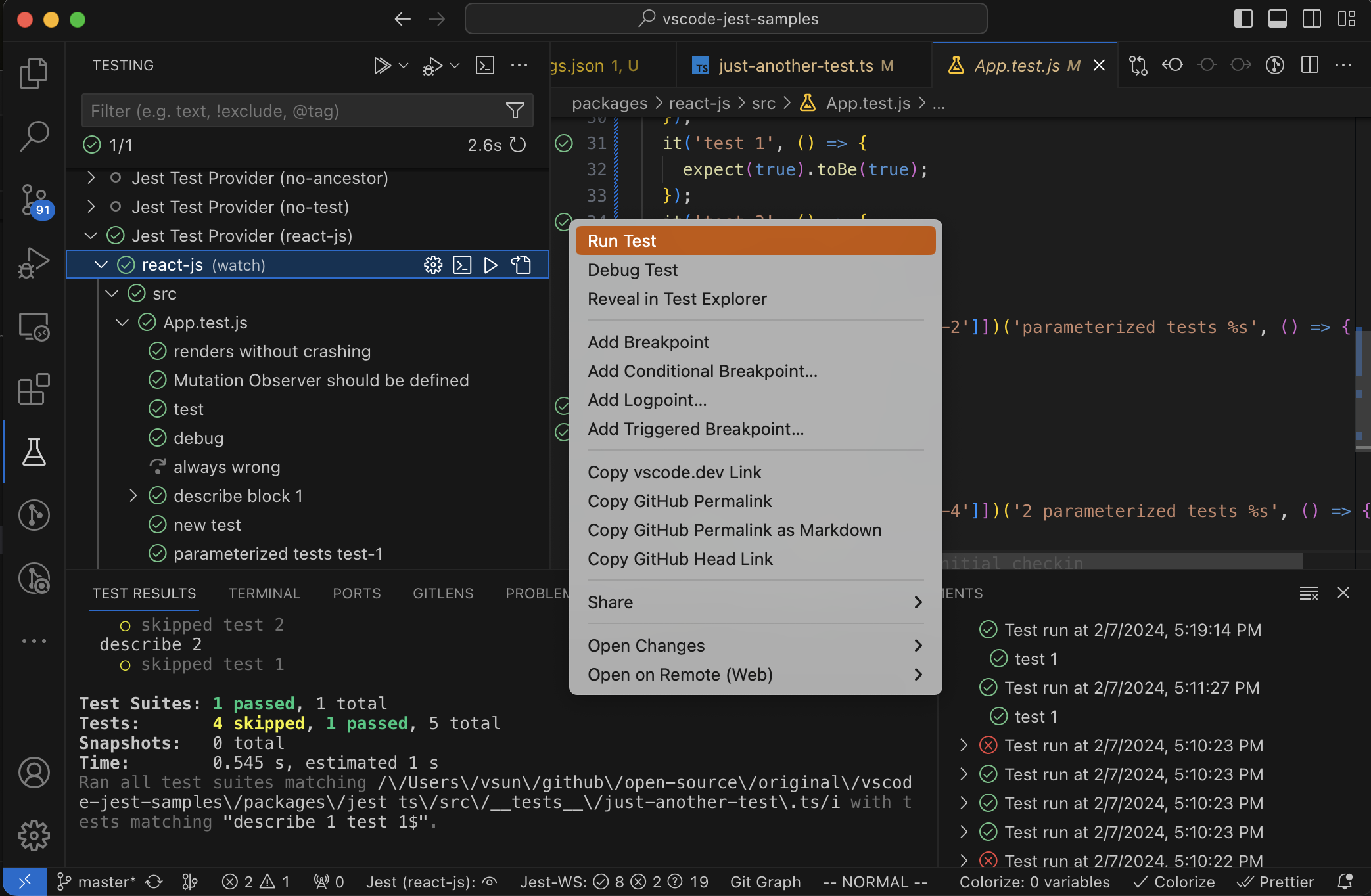
If you have a more sophisticated project configuration or prefer to run tests differently, fear not, the extension supports extensive customization settings. For example:
- you can use jest.jestCommandLine to tell the extension to use
yarn testinstead of the default jest command. - you can use jest.runMode to optimize performance and control when the extension should run your tests.
- you can use the extension with monorepo projects, see monorepo project support for details.
You can see the full features and learn more details in the How-To section. If you encounter an unexpected error, feel free to checkout the Troubleshooting or file an issue.
Happy testing!
Releases
- Current (v6.4.4): release note
- Previous (v6.4.0): release note