README
CodeTour 🗺️
CodeTour is a Visual Studio Code extension, which allows you to record and play back guided walkthroughs of your codebases. It's like a table of contents, that can make it easier to onboard (or re-board!) to a new project/feature area, visualize bug reports, or understand the context of a code review/PR change. A "code tour" is simply a series of interactive steps, each of which are associated with a specific directory, or file/line, and include a description of the respective code. This allows developers to clone a repo, and then immediately start learning it, without needing to refer to a CONTRIBUTING.md file and/or rely on help from others. Tours can either be checked into a repo, to enable sharing with other contributors, or exported to a "tour file", which allows anyone to replay the same tour, without having to clone any code to do it!
Getting Started
In order to get started, install the CodeTour extension, and then following one of the following guides, depending on whether you want to record or play back a tour:
Recording Tours
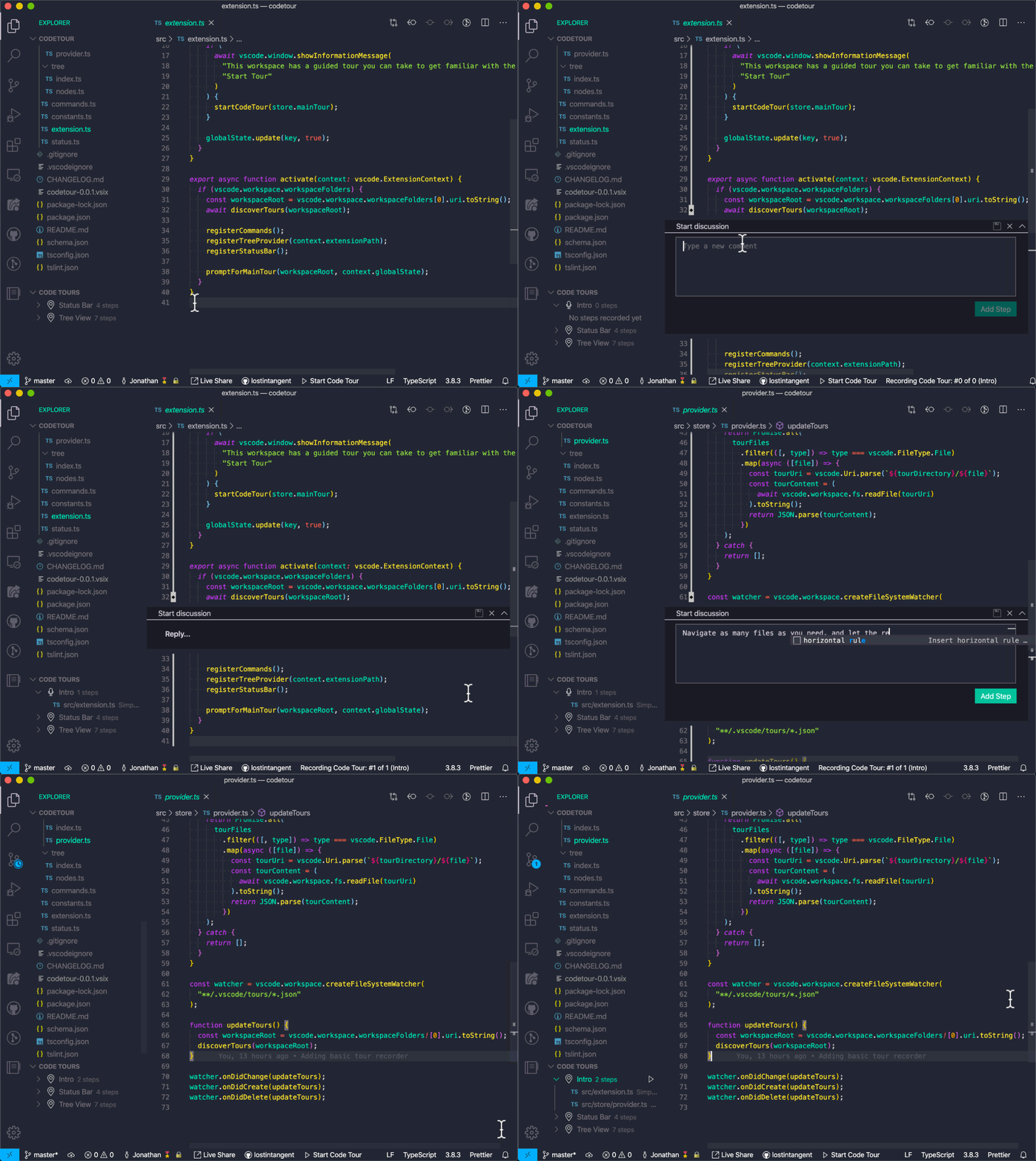
If you'd like to record a code tour for your codebase, you can simply click the + button in the CodeTour tree view (if it's visible) and/or run the CodeTour: Record Tour command. This will start the tour recorder, which allows you to begin opening files, clicking the "comment bar" for the line you want to annotate, and then adding the respective description (including markdown!). Add as many steps as you want, and then when done, simply click the stop tour action (the red square button). You can also create directory steps, selection steps, or content steps in order to add an introductory or intermediate explanations to a tour.
While you're recording, the CodeTour tree view will display the currently recorded tour, and it's current set of steps. You can tell which tour is being recorded because it will have a microphone icon to the left of its name.
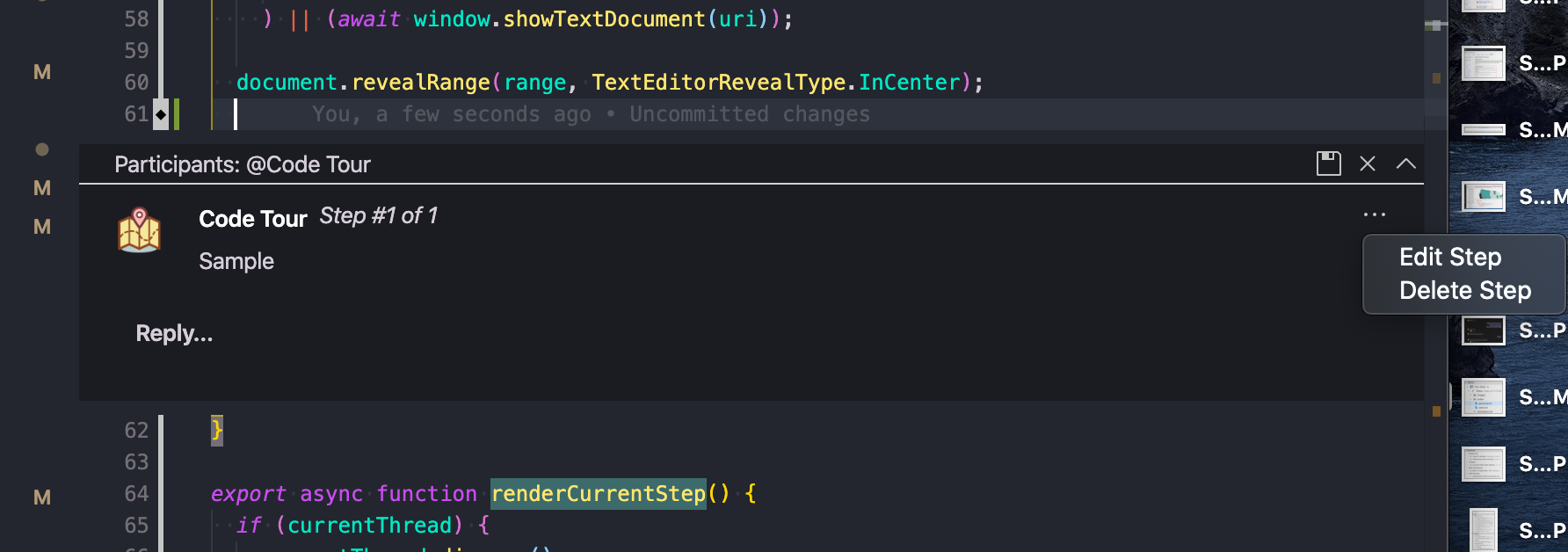
If you need to edit or delete a step while recording, click the ... menu next to the step's description, and select the appropriate action. Alternatively, you can edit/delete steps from the CodeTour tree view.