README
Apex Dashboard
Stop switching between Obsidian notes. One page. Everything you need. Memo your thoughts, crush your todos, track your projects — and make it look incredible doing it. 【中文版】
Screenshot
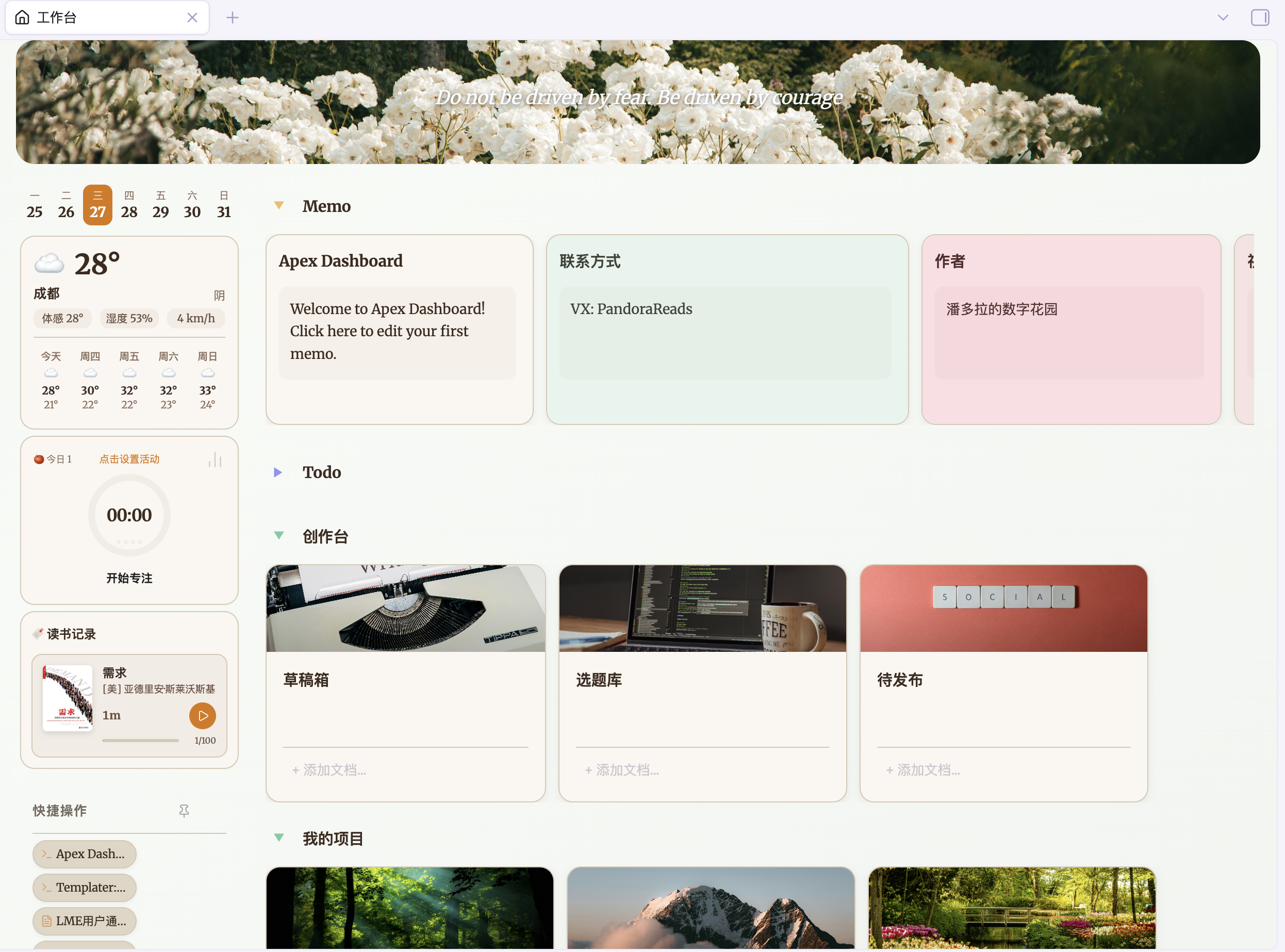
Features
🗒️ Memo
Capture thoughts instantly with a built-in memo pad. Each memo card has a writable textarea — jot down ideas, meeting notes, or daily reflections without leaving your dashboard. Supports [[wikilinks]] that render as clickable links.
✅ Todo
Manage tasks with interactive checklists. Add, reorder, drag-and-drop, and check off tasks. A progress bar shows completion percentage at a glance. Todo items also support [[wikilinks]] for cross-referencing notes.
📁 Projects
Organize your vault documents into project cards. Each card links to related notes, displays a cover image (supports both local vault images and web URLs), and supports inline document search to add new files quickly. Manage multiple file types including Markdown notes, PDFs, images, audio, and video.
📝 Notes
A compact, list-style section for organizing reference documents and quick-access files. Displays up to 5 cards per row without cover images for maximum density.
⚡ Quick Actions
Pin your most-used shortcuts to the sidebar. Supports two action types: File links to open any document, and Command shortcuts to trigger any Obsidian command. Includes built-in presets for New Journal and New Note.
🌤️ Sidebar Widgets
The left sidebar features decorative widgets for at-a-glance information:
- Week Calendar — A compact 7-day strip highlighting today's date
- Weather Widget — Real-time weather with current temperature, feels-like, humidity, wind speed, and a 5-day forecast with daily high/low temperatures. Powered by Open-Meteo (no API key needed). City search with geocoding autocomplete for precise location